728x90 Ad Space

Sign Up To The Free Email Newsletter!

Want to get notified whenever we produce the latest content ? Then subscribe now to start receiving hot updates from today.

Monday, May 12, 2014

Higway Racer v1.07 (Unlimited Money)

Higway Racer v1.07 (Unlimited Money)
Requirements: 4.0 +
Overview: It must be very exciting and both dangerous to weave through the traffic. Then, do you like to have such adrenalin without any danger? Highway Racer (HR) has been developed as an ambitious game to make you feel this excitement.

You can choose one of the fastest cars which suits you best, and you can change its color, rims, and increase maneuver, acceleration and brake capabilities.
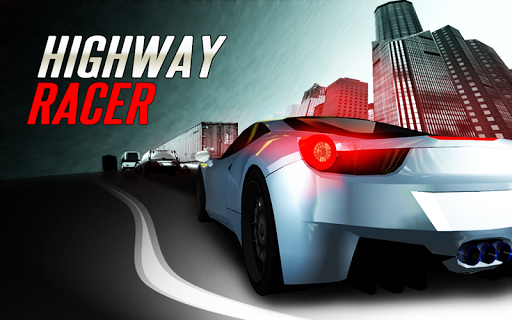
You can get more credits and scores as long as you do not make accident along challenging highway, then you can use this credits to get new cars and modify them.

Game Features :

- You can choose different highways.
- You can play in "one way", "two way" and "wrong way" modes.
- Game reality is very different from other racing games, there are right-hand, left-hand
bends, steep ramps and bridges along the road.
- Thanks to Google Play Service, you can see the scores of the other HR racers and you can
compete with them.
- There are 8 different cars and different color options. You can also make further
modifications.
- There are options for automatic acceleration and steering with tilt, swipe and touch, etc.

Game Tactics :

- The closer you pass a car the more score you get.
- The more you drive at high speed the more score you get.
- The more you drive in opposite direction the more score you get.
- Do not forget to use brake to get rid of accidents.

A fantastic journey is waiting for you with excellent 3D graphics

What's New
Added realtime multiplayer modes
Added new most wanted amazing car!
bug fixes

More Info:

Code:

 https://play.google.com/store/apps/details?id=com.isandroid.hwracer 
Download Instructions: Modded by me
http://www.oboom.com/U7TBRFCW/signed_Highway.Racer.apk

Mirror:
http://www.tusfiles.net/qvjitnagg2jq
http://unlimitzone.com/zvppnnjflasr/...Racer.apk.html
http://turbobit.net/dftq0bkotc9l.html

Abyss Attack v1.1.1 [Unlimited Gems]

Abyss Attack v1.1.1 [Unlimited Gems]
Requirements: 2.3+
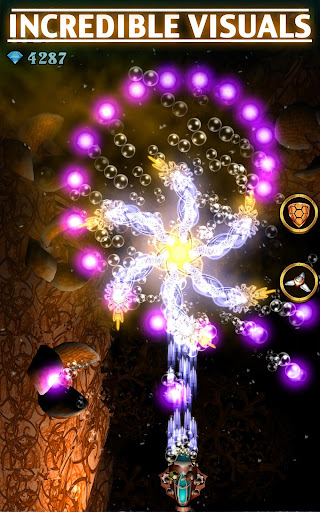
Overview: Blast mysterious creatures in this endless underwater arcade shooter!

SHOOT TO SURVIVE
Pick your submarine and use weapons and power-ups to tear through relentless creatures like you've never seen before and battle against giant bosses!

RELIC REVOLUTION
Create rare and epic Relics to enhance your submarines stats and give you a fighting edge against the sea's monsters.

AN ENDLESS BEAUTIFUL ABYSS
Combining a steampunk art style with neon-like 3D visuals, watch as your attacks fill the screen with color. A chilled-out soundtrack perfectly fits this action/arcade shooter.

Game Features:
•An endless shooter of beautiful visuals and arcade fun
•Unique creatures and bosses
•Six playable submarines
•Nine power-ups to upgrade
•15 ranks, 87 missions complete
•Create and equip Relics to boost your stats
•Compete with friends on Facebook

What's new:
Just when you thought it was safe to go back in the ocean we spotted a few leaks in your sub's hull that needed patching up. Download this update and get back to exploring the ocean floor.

More Info:

Code:

 https://play.google.com/store/apps/details?id=com.chillingo.abyssattack.android.rowgplay 
Download Instructions:
http://www.oboom.com/2F88P7Z8/signed_Abyss.Attack.apk
http://ul.to/bse04pjr
http://www.tusfiles.net/56bl3yivyhcr
http://unlimitzone.com/86s66xnb400w/...ttack.apk.html
http://turbobit.net/xb0az66cxh6d.html

Freeze! v1.80 [Unlocked]

Freeze! v1.80 [Unlocked]
Requirements: Android v2.2+
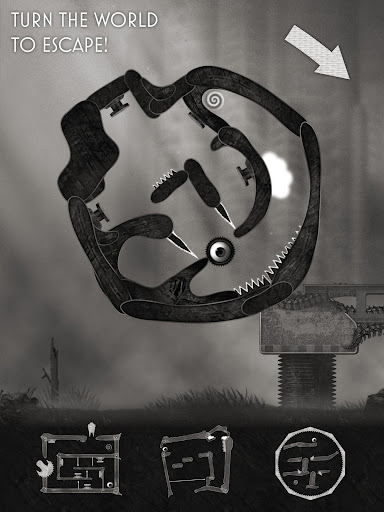
Overview: Is a beautiful, physics-based puzzle game that will leave your head spinning

+++ Winner of the "Indie Prize Europe 2013"-Award, Casual Games Association +++

»The twisty-turny physics delights on offer here are cleverer, darker, and more devious than what's on offer in your average casual puzzler.« (pocketgamer.co.uk, review)

»minimalistic yet stunning artwork … gameplay is fun, challenging and maybe even a little maddening ... Score 4/5« (148apps.com, review)

»Score 91/100« (AppBrain.com, review)

»Spooky, Challenging Perfection - Score 10/10« (tapscape.com, review)

It was a wonderful day for our anonymous hero, at least until the moment when he was torn from his loved ones by a viciously sharp grappling hook.

Locked in a cramped cell on a planet far, far away, our hero could give in to despair and abandon himself to his fate. But with your help he can overcome gravity, turn worlds, and even – escape!

Solving the rotating, physics-based puzzles is easy - just use your finger to continuously turn the cell in both directions around our hero. Of course you also have to make clever use of the Freeze! button, which can overcome gravity. Sound simple? It is – at first...

Freeze! offers completely new and yet immediately intuitive game mechanics, delightfully gloomy graphics from the internationally renowned pop-up designer and illustrator Jonas Schenk, and a very sinister soundtrack from noted Swiss electronic/trance musician Karl Lukas.

Highlights of Freeze!

* the first world offers 25 unique and thrilling levels
* there are 10 free bonus levels for evaluation (honest opinions welcome)
* additional worlds can be bought later as an in-app purchase at a very low price.
* use intuitive touch screen control to turn our hero's cell
* take on lasers, deadly traps, and cruel opponents
* unique style of illustration and collage just looks really good
* wonderful gloomy soundtrack from trance master Karl Lukas
* supports Facebook and Twitter

v1.80:
NEW: WORLD 04 is now ready, with many new challenges

More Info:

Code:

 https://play.google.com/store/apps/details?id=com.frozengun.freeze 
Download Instructions: credit: opera-fan
http://www.oboom.com/O45100ET/Freeze.v.1.80_mod.apk
http://ul.to/x0ta8l3p
http://turbobit.net/3qszcpmfc3y3.html
http://www.tusfiles.net/x1g5ehzs7c8p
http://unlimitzone.com/codegf7vxrki/...0_mod.apk.html

Portal v23

Quote Originally Posted by Xperia player View Post

Downloaded this and half-life. Both DO NOT work with GLTools on my Adreno devices with faking Tegra 4 Sheild (Xperia Z1 and Z), they both crash after the Source logo screen. Can't try on my Tegra 3 devices as it seams this is built with a higher SDK (4.4) then my tabs have (4.1)

I modded Portal for lower Android versions so I could try it on my OUYA, give it a shot. http://www5.zippyshare.com/v/64125409/file.html

Did the same with Half-Life 2. http://www5.zippyshare.com/v/62150201/file.html

I don't expect anyone will be able to get this working on non-Tegra 4 devices anytime soon, poking around the game code both games make use of Tegra 4 specific hardware features not present on other devices.

FYI: You can download the SD data from within the games themselves.

Next Launcher Theme Krome 3D v1.0.5

Next Launcher Theme Krome 3D v1.0.5
Requirements: 2.2+
Overview: This is a highly customizable theme for Next Launcher 3D.

Features ( Next Launcher "3D" Theme: Blue Krome)

• 2D (Normal) and 3D Modes (as shown in pics)
• 1150 custom HD Icons (HD=Tablet Compatible)
Note: 20 special icons, covers the main apps of the phone such as dial, SMS, Playstore and so on. The other special icons must be set manually.
• 21 HD custom ultra high definition wallpapers
(16 is on our cloud - use our app to set wallpaper please)
• High End Design for all elements down to little indicator.

Directions:
This is a highly customizable theme for Next Launcher 3D.
Please make sure that you have purchased and installed the latest version of the Next Launcher 3D.

Installation in 2D normal classical mode
1. Open Next Launcher 3D
2. Press menu on your desktop
3. Select Theme in Menu
4. Select "Installed"
5. Select theme 3D Blue Chrome and Apply

Installation in 3D mode
1. Open Next Launcher 3D
2. Press menu on your desktop
3. Select "Preferences"
4. Switch to "3D mode"

Select Theme in 3D mode
1. Press Menu on your desktop
("Menu" also the 5th button on your dock on your desktop)
2. Select "Theme"
(the button looks like a T-shirt)
3. Select "Installed"
4. Select 3D Blue Chrome and Apply

Change wallpaper:
1. Long Press on your current wallpaper on desktop
2. Select Wallpaper on rotating menu
3. Select NEXT icon (1st icon of 4 )
4. Swipe left/right to select wallpaper you like

Troubleshooting:
1.If you don't see the theme, try the following:
- Close Next Launcher 3d
- Open it again.
- Apply any Default theme
- Follow Installation for 2D mode direction above again.
- Follow Installation for 3D mode after.

More Info:

Code:

 https://play.google.com/store/apps/details?id=com.gtp.nextlauncher.theme.xochromebluetech 
Download Instructions: released by yuki918
http://www.oboom.com/2KCMUEOI/Blue_Krome_1.0.5.apk

Mirror:
http://www.tusfiles.net/pqo8bykq5smp
http://unlimitzone.com/y6qvh9n8lnx1/...1.0.5.apk.html

Next 3D Theme Blue Twister v1.0.5

Next 3D Theme Blue Twister v1.0.5
Requirements: 2.2+
Overview: This is a highly customizable theme for Next Launcher 3D.

Features ( Next Launcher "3D" Theme: Blue Twister)
Note: we have other colors available.
• 2D (Normal) and 3D Modes (as shown in pics)
• Over 1000 custom HD Icons (HD=Tablet Compatible)
Note: 20 special icons, covers the main apps of the phone such as dial, SMS, Playstore and so on. The other special icons must be set manually.
• 23 HD custom ultra high definition wallpapers
(16 is on our cloud - use our app to set wallpaper please)
• High End Design for all elements down to little indicator.

Directions:
This is a highly customizable theme for Next Launcher 3D.
Please make sure that you have purchased and installed the latest version of the Next Launcher 3D.

Installation in 2D normal classical mode
1. Open Next Launcher 3D
2. Press menu on your desktop
3. Select Theme in Menu
4. Select "Installed"
5. Select theme Blue Twister and Apply

Change to 3D mode
1. Open Next Launcher 3D
2. Press menu on your desktop
3. Select "Preferences"
4. Switch to "3D mode"

Select Theme in 3D mode
1. Press Menu on your desktop
("Menu" also the 5th button on your dock on your desktop)
2. Select "Theme"
(the button looks like a T-shirt)
3. Select "Installed"
4. Select Blue Twister 3D and Apply

Change wallpaper:
1. Long Press on your current wallpaper on desktop
2. Select Wallpaper on rotating menu
3. Select NEXT icon (1st icon of 4 )
4. Swipe left/right to select wallpaper you like

Troubleshooting:
1.If you don't see the theme, try the following:
- Close Next Launcher 3d
- Open it again.
- Apply any Default theme
- Follow Installation for 2D mode direction above again.
- Follow Installation for 3D mode after.

2. Why not all icons are applied?
Icons can be manually applied at this time due to Next Launcher limitation.

More Info:

Code:

 https://play.google.com/store/apps/details?id=com.gtp.nextlauncher.theme.xobluetwister 
Download Instructions: released by yuki918
http://www.oboom.com/F6T6HGDH/Blue_Twister_1.0.5.apk

Mirror:
http://www.tusfiles.net/u0yv7mokztsc
http://unlimitzone.com/83gw3uhx9lo4/...1.0.5.apk.html

Brushed Chrome CM11/AOKP Theme v4.9.5.1.1

Brushed Chrome CM11/AOKP Theme v4.9.5.1.1
Requirements: Android 4.0+
Overview: Brushed Chrome CM10/AOKP Theme


[break]
!!**!! IMPORTANT **!!**

THIS THEME IS FOR ROOTED PHONES ONLY!
You must be running a ROM that supports
the T-Mobile Theme Chooser Engine.
CM9/CM10/AOKP
XHDPI Displays Only at this time

!!**!! PLEASE READ **!!**

If you receive "Sorry, this theme is missing assets
for your device's screen size" APPLY ANYWAY.

If you receive "Theme Error" please do not panic.
Simply revert to your original theme and restart your phone.
You will be able to apply after your restart.

Please note some theme aspects only apply after you restart your phone.

If you would like an inverted MMS or Calendar, please go here:
http://denitethemes.com/?page_id=14

If you have issues, please let me know so I can fix them...

OK, onto the Theme Information!

Newly updated for Android 4.2.2!

What's Themed:

* Phone
* MMS
* SystemUI
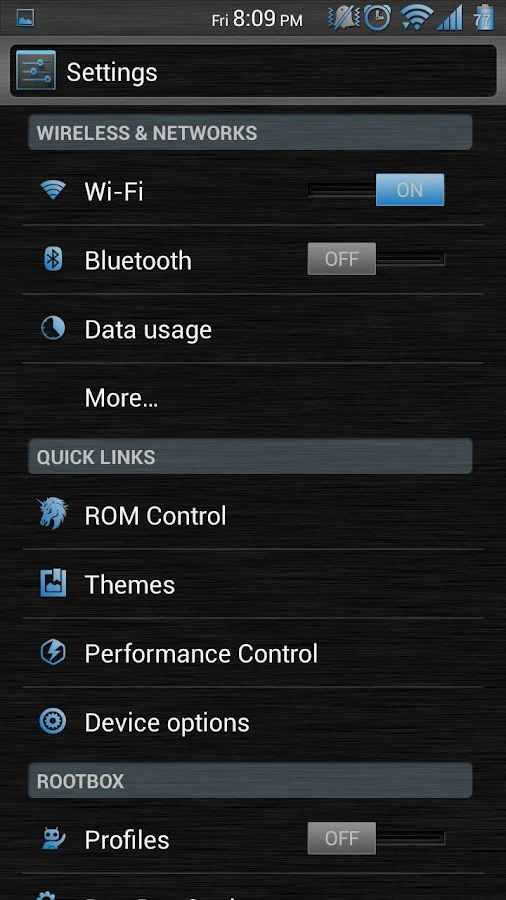
* Settings
* Swype - New Version (Classic Theme)
* AOKP ROM Control
* Camera 4.2.2
* Calendar
* Contacts
* Calculator
* Google Now
* Google Play - New Version
* Google+ (Work in progress - Crashes when clicking on "Photos" from side menu)
* DeskClock 4.2
* YouTube
* Gmail (New Version)
* Email
* AquaMail

What's New
Version 4.9.5.1
- Updated for new Theme Engine Compatibility

This app has NO advertisements

More Info:

Code:

  https://play.google.com/store/apps/details?id=com.denite.theme.bluebrushedchrome  
Download Instructions:
https://www.oboom.com/9AGHM0JS

Mirror:
https://www.tusfiles.net/g92f2cp43es6
http://unlimitzone.com/7vs9xwsjn4l7/...5.1.1.apk.html