728x90 Ad Space

Sign Up To The Free Email Newsletter!

Want to get notified whenever we produce the latest content ? Then subscribe now to start receiving hot updates from today.

Sunday, March 29, 2015

Typographical Zooper Theme v2.2.0 Direct links

Typographical Zooper Theme v2.2.0

Requirements: Android: 1.6+


THIS APP REQUIRES ZOOPER WIDGET PRO AND MEDIA UTILITIES.

IMPORTANT: IF YOU HAVE SOME TROUBLE WITH THE FONTS, DOWNLOAD THE FONTS PACK, UNZIP AND PLACE THEM AT THE FOLDER "ZOOPER WIDGET/ FONTS".
IF THE WEATHER ICONS ARE NOT WORKING, DOWNLOAD THEM AND PLACE INSIDE THE FOLDER ZOOPER WIDGET/ ICONSETS.

LINK FOR THE WEATHER ICONS: https://drive.google.com/folder/d/0B...k3TmJMTkk/edit

LINK FOR THE FONTS:
https://drive.google.com/file/d/0B0v...ew?usp=sharing

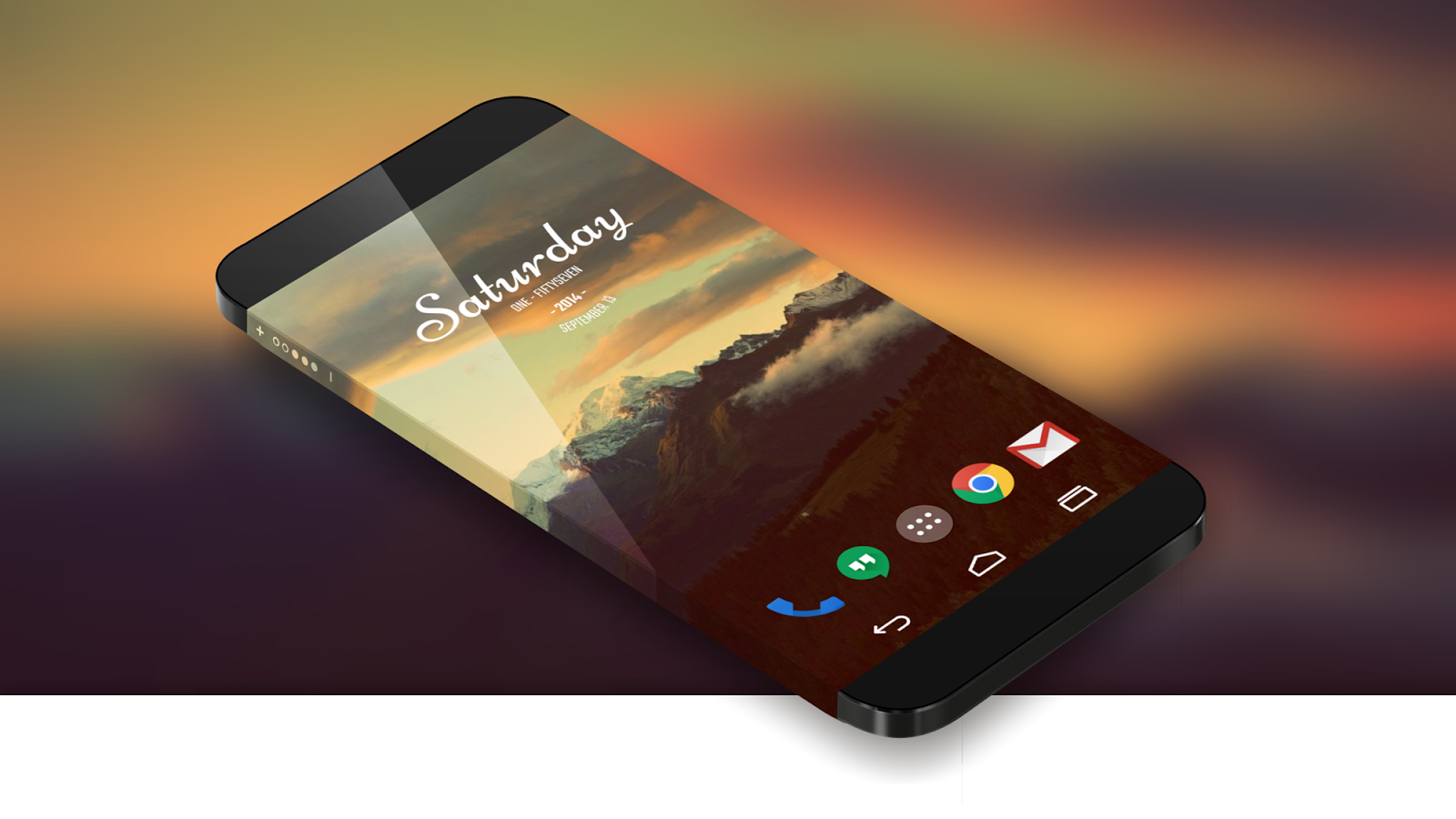
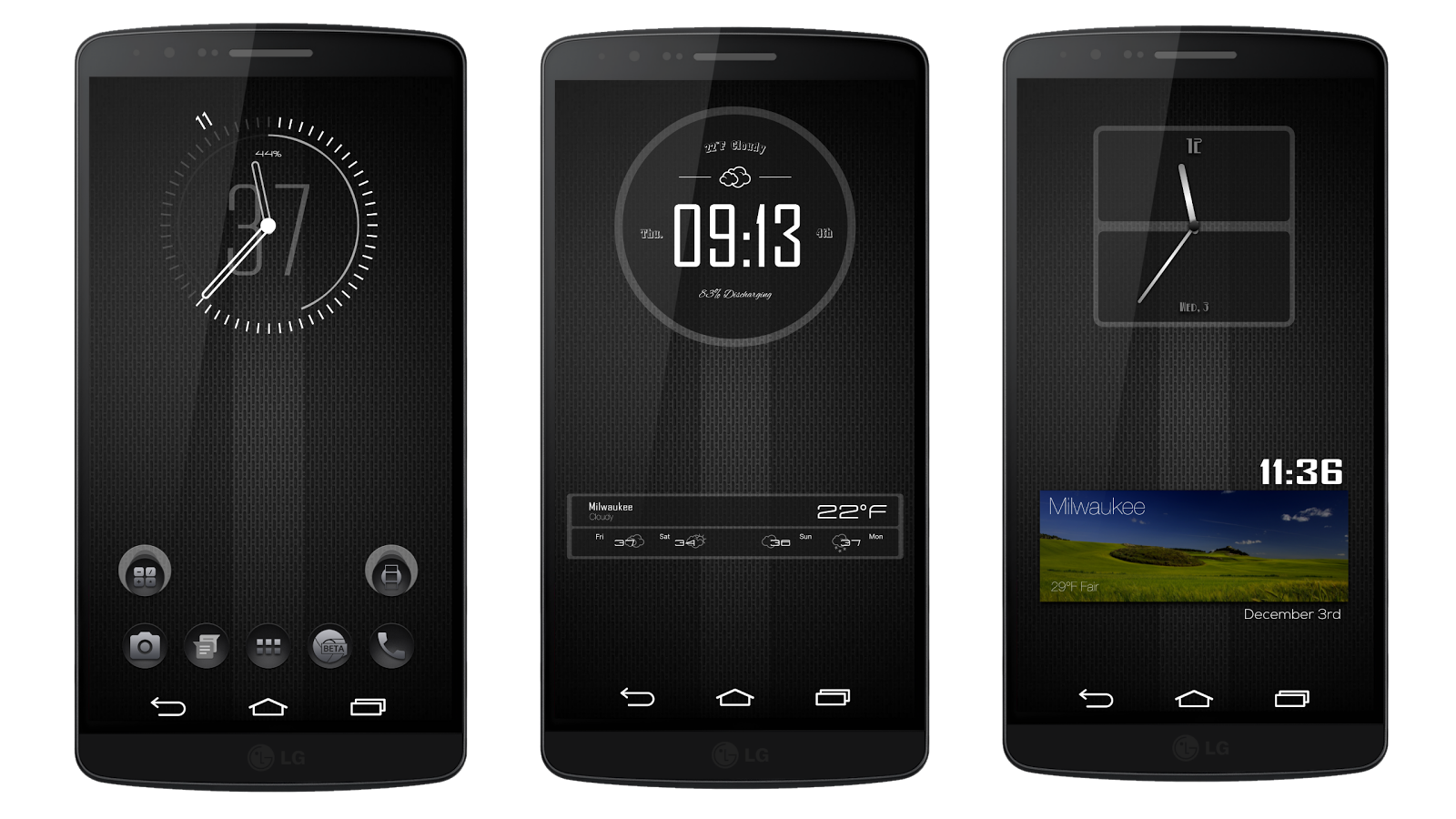
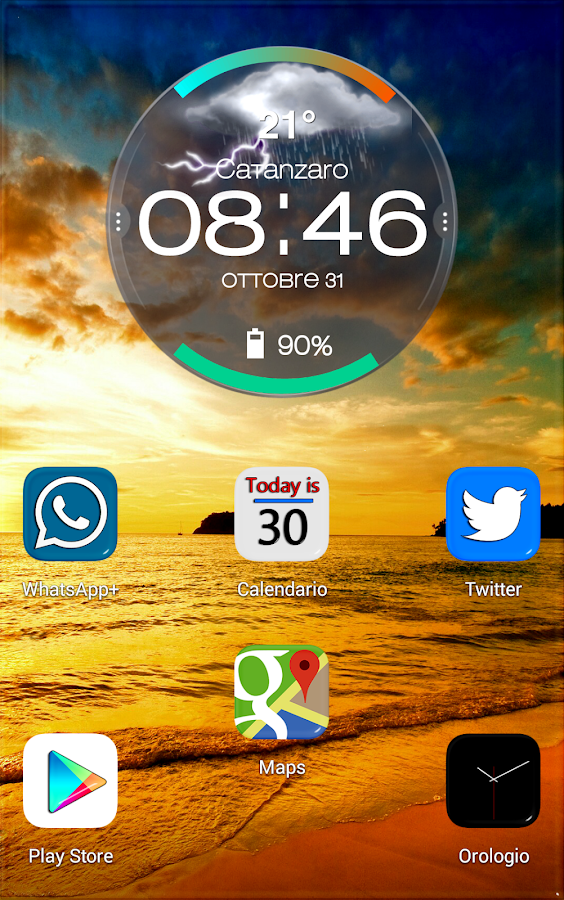
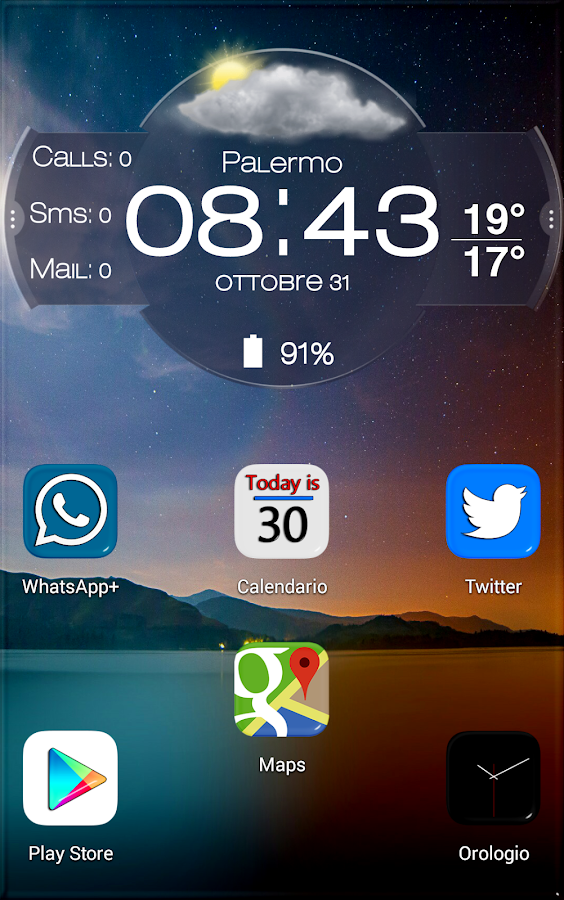
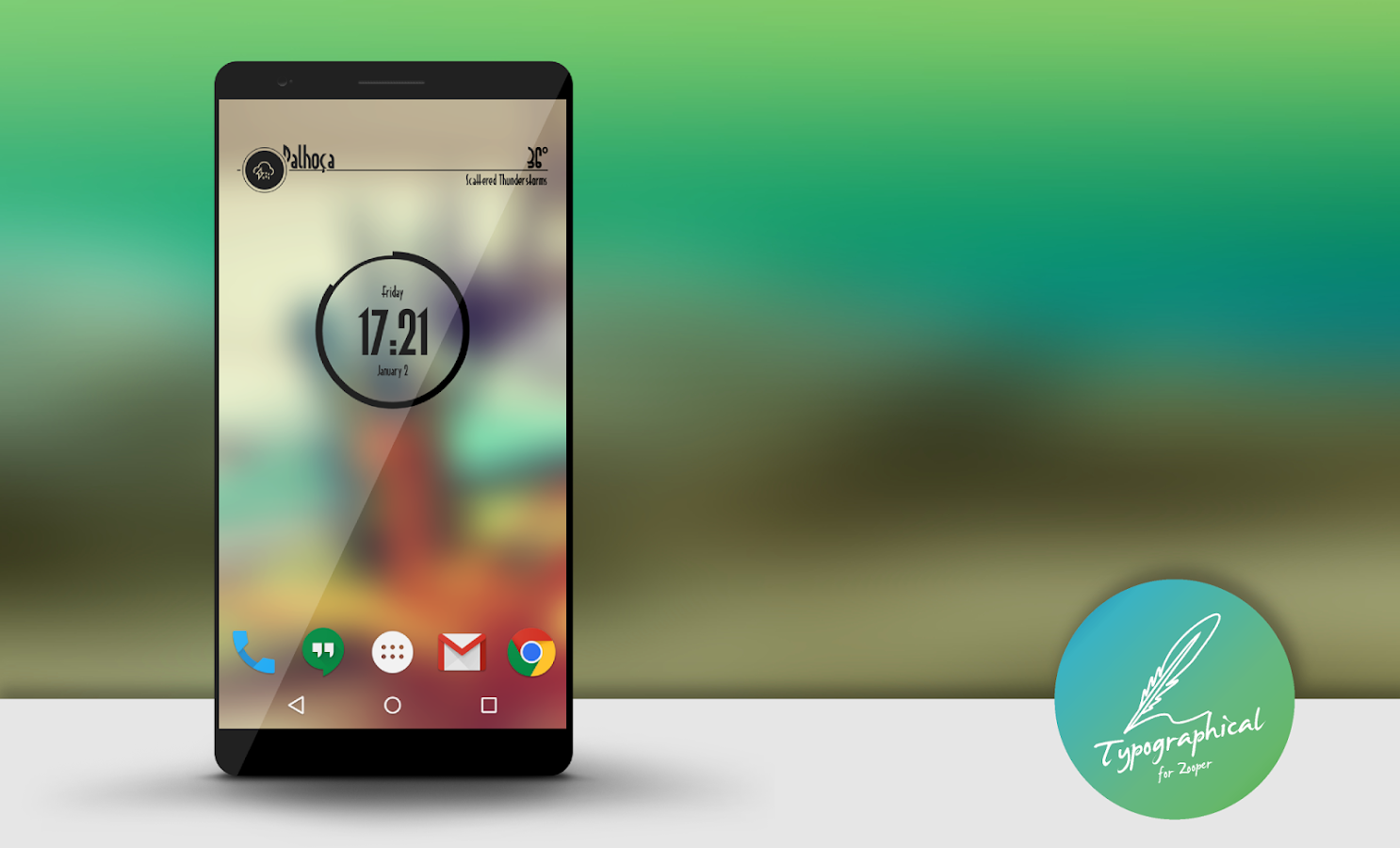
Typographical Zooper Theme contains 170 widgets that stand out for simplicity and elegance and are presented in over 60 different fonts.

Some instructions:

Recomended launcher grid size: 7x4 with dock and 8x4 without dock.
Recomended widgets sizes: 4x1, 4x2 and 4x3

If you loved some of these wallpappers, you can grab then at: https://www.dropbox.com/sh/3eu71v6yn...BRf4L3efa?dl=0

To know more about Dosarts visit our G+ page: https://plus.google.com/u/0/b/109554...21/posts/p/pub

What's New
- Some bug fixes
- Added 10 new widgets. Now they are 170.

More Info:
https://play.google.com/store/apps/d...altheme.zwskin

Download Instructions:

https://userscloud.com/2cybcvfz7j78
http://ul.to/ppxf83ik
https://www.tusfiles.net/7t88d3ls2due
Fuse for Zooper Widget Pro v1.1.2 Direct links

Fuse for Zooper Widget Pro v1.1.2

Requirements: Android: 4.0.3+


READ FIRST: ZOOPER WIDGET PRO AND MEDIA UTILITIES MUST BE INSTALLED FIRST BEFORE INSTALLING THIS PACKAGE!

This widget pack requires 1 permission to modify storage. This only loads the necessary fonts, bitmaps, and icon sets for this widget pack and nothing else. An Fuse icon will be added to your app drawer once this pack is installed. You will need to tap the icon only once to load widget assets. Once this is done you can place widgets like normal. This is done to cure the corrupt file issue with Zooper, thanks to Lutz Linke for this fix.

If you like this Zooper theme, please leave a review it would be greatly appreciated

NEW in 1.1.1: Added 5 new clocks, Fuse Reactor, Speed, Fusion, and HUD clocks.

NEW in 1.1: Added 4 new widgets, Fuse Orbit, Burst, Transmission, and 10a clocks.

NEW in 1.08: Added 6 new widgets, Fuse Floating music player, Flux Clock, Radar Clock, Carbon Analog, and Fuse Status. The Wifi and Cellular icons in Fuse Status are functional.

NEW in 1.07: Added 7 new widgets, Fuse Floating clock, Fuse Vertical music player and 5 search widgets.

NEW in 1.06: Added 4 new widgets, Fuse Vert 1 and 2, Fuse Pill Clock, and Fuse Player 2.

NEW in 1.05: Added 5 new widgets, Fuse day/night has a daytime and night time mode and automatically changes colors. Fuse Player has Play/Pause as well as track title and progress bar. Fuse Side time is a 6x7 widget, you must use a launcher with margins set to none for it to place like the screen shot.

NEW in 1.04: Some fixes

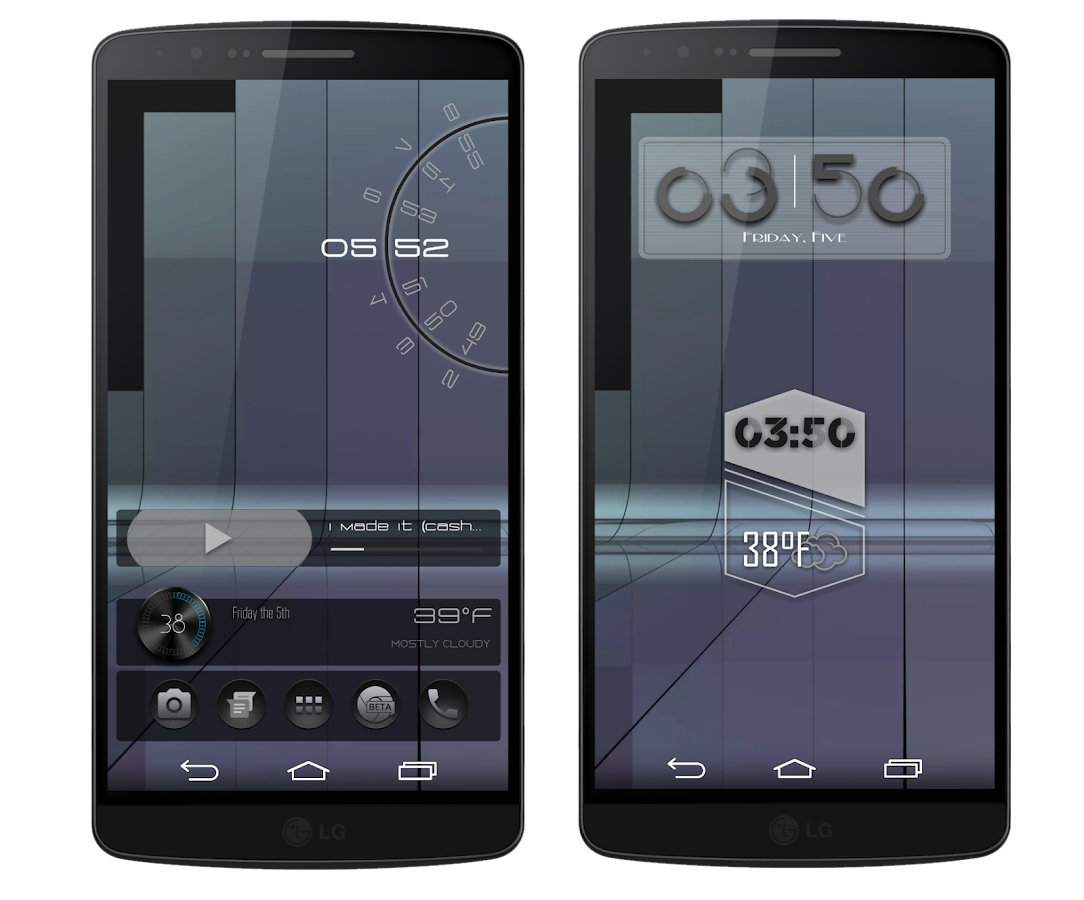
NEW in 1.03: Added 5 new widgets. Check the screen shots for details.

NEW in 1.02: Added 6 new widgets bringing Fuse to 20 widgets. Check the screen shots to see whats new! Don`t forget to hit that Fuse icon in your app drawer to load all fonts, icon sets and images.

This is a NEW Zooper widget theme by Drea Apps, this pack includes 14 widgets to start off with. Check the screen shots for widget styles.

Since different OEM`s use different app package names some tap on`s may need to be set for YOUR particular device. The tap on modules for each widget are CLEARLY labeled for easy set up.

If you like this pack please leave a rating I would appreciate it, also check out my other Zooper widget packs.

If you have any questions, problems, or need help with layout please hit the website link at the bottom and post there or email me at the address below. I would be glad to help!

This is set up on Nova Launcher,
8 rows 6 columns
width margin- none
height margin-none
dock- disabled
resize all widgets- on

Icon packs used in screen shots are Blacked by King Rollo, https://play.google.com/store/apps/d...grollo.blacked

SC 71v3 Gray by Double A Designs, https://play.google.com/store/apps/d...71v3.gray.dark

sc 184 Blue by Double A Designs, https://play.google.com/store/apps/d...com.sc184.blue

What's New
NEW in 1.1.2:
Added Fuse Nuclear Clock and Embedded Player. Check out the screen shots to see whats new. Like always be sure to hit that app drawer icon to make sure all widgets load correctly.
Fuse now has 58 widgets total!

More Info:
https://play.google.com/store/apps/d...ps.zwskin.fuse

Download Instructions:

https://userscloud.com/z9bosstz20oc
http://ul.to/z64ognnt
https://www.tusfiles.net/w6z25ljvlb1r

Droid Turbo Zooper Widget v1.3 Direct links

Droid Turbo Zooper Widget v1.3

Requirements: Android: 4.0.3+


Welcome to Droid Turbo Zooper Widget

How To Install?
- 1 - Download and install the skin
2 - Add a Zooper widget to your homescreen (via long press on homescreen if you're running a launcher or via appdrawer if you're on stock ROM),
4 - When Zooper widget skins list pops up, choose Droid Turbo Zooper Widget to apply,
5 - Press back button
6 - Finish!

What's New
BIG UPDATE!
- New Material Design Dashboard
- Fix bugs

More Info:
https://play.google.com/store/apps/d...oidturbozooper

Download Instructions:

http://ul.to/cun7fpdt
https://userscloud.com/u620kl4fb9ci
https://www.tusfiles.net/ibbqlp69zdcq

Talon for Twitter(classic) v4.1.4 Direct links

Talon for Twitter(classic) v4.1.4

Requirements: Android: 4.0+


Get fully immersed in your Twitter with this beautiful, feature PACKED Twitter client with a design that actually makes sense!

Created with Android 4.4 (KitKat) in mind. Includes full screen (translucent) layouts, stunning animations and more! Of course that doesn't mean earlier versions of android get left out! The only thing that wasn't able to be recreated in Android 4.3 and below was the transparent navigation and status bars... Sorry! It just isn't possible

Beautiful, up-to-date layouts, designs, and neat animations isn't the only thing Talon has going for it though! The list of features is enormous as well, doing everything you could ever want from a Twitter app right off the bat. Even though it is new, I have added every single major and minor Twitter feature that I think is absolutely essential plus a ton that most people wouldn't even think of. Here is a pretty comprehensive list of its features:

Twitter features:
- Live streaming support
- Support for 2 accounts
- View your timelines (main, mentions, direct messages, links, and pictures)
- Favorite users
- Update your profile picture, banner, location, and user description
- block, follow, and add users to lists
- Attach locations to your tweets
- And the list goes on

Customization features:
- Extremely powerful developer theme engine (https://github.com/klinker24/talon_theme)
- Choose between either "Talon" or "Hangouts" layouts
- Choose from 3 beautiful base themes (light, dark, and pitch black)
- Custom text sizes
- Night mode
- Auto-Refresh options
- Custom notification settings
- And many other goodies in there as well!

App Features:
- "Talon Pull" to be always listening for tweets/interactions
- Expandable, actionable, and dynamic notification system
- Full app popup
- Full emoji support
- View in-line Twitter and Instagram pictures
- View in-line YouTube thumbnails
- Native YouTube player
- In-app browser
- Complete landscape and tablet modes
- Advance to new pages in a "windowed" viewing mode
- Never leave your timeline with in-line replies, favorites, and retweets
- Hiding action bar
- "Do not disturb" mode
- Widget for main timeline
- DashClock Extension
- Google style pull to refresh for quick refreshing

You will never go back to your old Twitter client again!

Enjoy Talon and don't hesitate to contact me with questions, requests, or bugs!
The best way would be either through email or get involved on the Google+ page.

Here are two different emoji plugins for you to choose from, choose whichever suits you best, install it and never worry about it again!
Android: https://play.google.com/store/apps/deta ... oard_trial
iOS 7: https://play.google.com/store/apps/deta ... _trial_ios

Permissions Explained:
- Write to Storage: Saves pictures to your SD card and writes them into the cache.
- Read from Storage: Used when backing up settings.
- Location: Used for trends and attaching locations to tweets.
- Network Communication: Obviously have to be able to interact with Twitter
- Network State: Used so the user can toggle background sync to only over WiFi.
- Run at Startup: Re-schedules the background refreshes.
- Keep Awake: Used for background refreshes and waking the screen.
- Vibrate: Used for the notifications.

Credit:
- Jacob Klinker: to many things to list! Tons of ideas, support, and inspiration
- Aaron Klinker: Icon Design
- JRW: Naming
- Other open-source libraries and resources used can be found under the 'Get Help' section in settings.

This app has NO advertisements.

More Info:
Not available at Play Store
https://play.google.com/store/apps/d...ndroid.twitter

Download Instructions:

https://userscloud.com/mz767n87byzz
http://ul.to/77h3jvgg
http://hugefiles.net/et5m2egf5b5j

Weird Park 3: Final Show v1.1 Direct links

Weird Park 3: Final Show v1.1
Requirements: 4.0 +
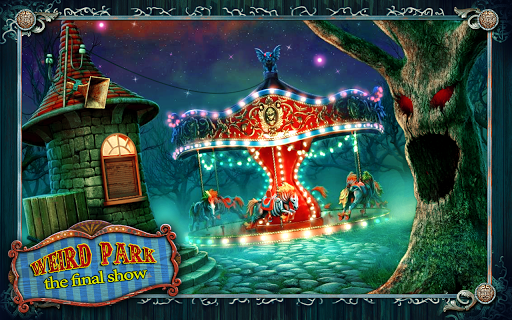
Overview: The curtain closes on the Weird Park saga in this shocking third chapter of hidden object adventures.

Take the role of an investigative reporter to find a disappeared child! Unlock the door to the alternate world and help Patrick break out of the trap set by a twisted imagination of Mr. Dudley! Solve all the puzzles and find all the clues as you explore strange worlds that defy everything you believe! Most important of all: the fate of Louis the Clown is in your hands... What will it be? – it's you who decides! Don't miss this stunning final installment in the Weird Park trilogy!

Features:
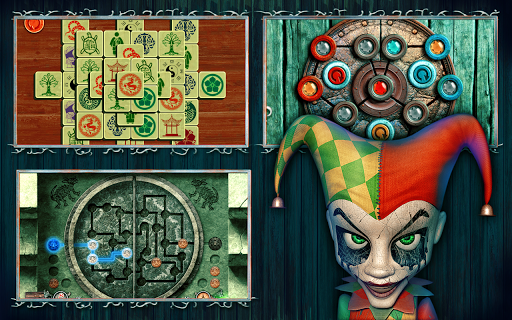
• 45 locations
• 4 eye-catching worlds
• 13 highly animated characters
• 19 hidden object scenes to enjoy
• 34 mini-games to solve

More Info:
Code:

https://play.google.com/store/apps/details?id=com.alawar.weirdpark3.gplay.premium
Download Instructions:
https://userscloud.com/lhktcrbmhkoq

Mirror:
http://www.tusfiles.net/003muowsdf2e
http://ul.to/zc3mgrkm

SDCard/Android/obb:
https://userscloud.com/9m9dhrrsvjw2
http://www.tusfiles.net/x7se34fc50m4
http://ul.to/r7inpoa6
http://turbobit.net/cpvhayfbp4om.html

RunKeeper - GPS Track Run Walk ELITE v5.3.5 Direct links

RunKeeper - GPS Track Run Walk ELITE v5.3.5

Requirements: Android: Varies with device


Track your pace, measure workout distance, chart weight loss, crush training goals and more with LifeHacker’s 2012 Best Running App!

RunKeeper is the simplest way to improve fitness, whether you’re just deciding to get off the couch for a 5k, biking every day, or even deep into marathon training.

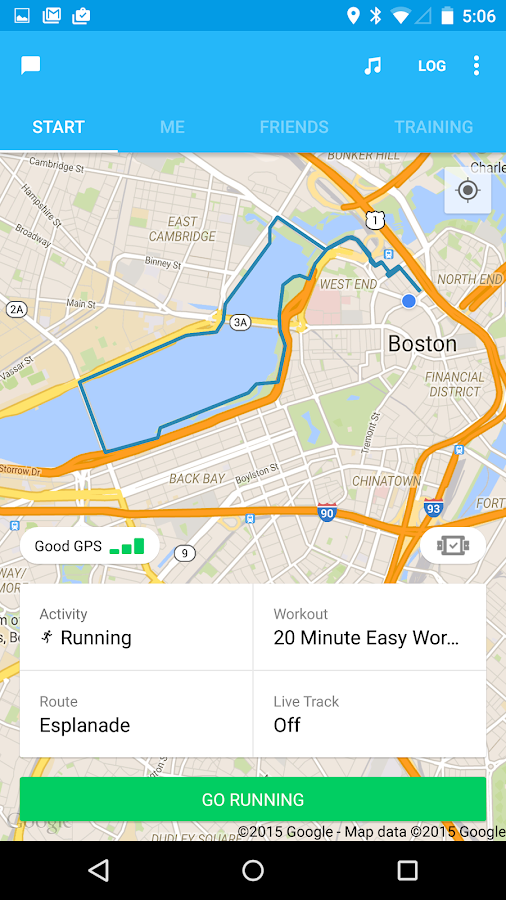
Track your runs, walks, bike rides, training workouts and all of the other fitness activities using the GPS in your Android Phone.
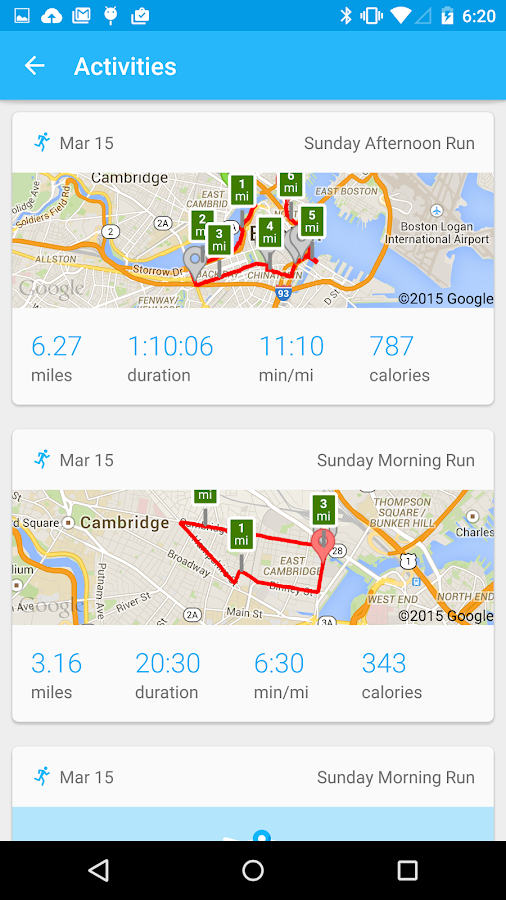
• Calculate running pace, cycling speed, route distance, elevation and calorie burn for any fitness activity - in high accuracy and real time!
• Find and follow pre-planned routes and map your run or walk on the go.
• Follow training plan workouts or create your own with audio coaching
• Get audio updates while you work out about your total mileage, calorie count, pace, speed, mileage
• Sync your Polar Heart Rate Monitor to track your heart rate and stay in heart rate zones
• Use your Pebble or Android Wear smart watch to track all your stats, right on your wrist!
• Run while listening to music - RunKeeper automatically integrates with your phone’s music app.
• Easily add your indoor cardio (treadmill, elliptical) and gym workouts (Yoga, Crossfit) right in the app to keep a full training log all in one place.
• Track right from your home screen with the RunKeeper Android widget

Get motivation and guidance to finish a race, lose weight, or get in shape. RunKeeper is THE training app for all skill levels- “Couch to 5k” all the way up to Marathon training for speed!
• Find and follow Run/Walk training plans as a beginner
• Get coached with 10k, Half Marathon and Full Marathon training plans for more advanced runners built by renowned coaches like Jeff Galloway
• Train for weight loss with “running for fat loss” plans by Mke Diebler
• Already using a Greatist training calendar? RunKeeper has those too!
• See your entire training calendar directly in the running app, and get coached through each workout while you run with audio cues

Sync Runkeeper.com with the best fitness apps you’re all ready using for nutrition, sleep monitoring, weight, step tracking, calorie counting and getting rewards. RunKeeper works great with:
• MyFitnessPal calorie tracking app
• Fitbit activity monitoring devices
• Garmin Forerunner GPS watches and Garmin Connect
• Withings wifi scales
• Sleep Cycle app
• Hundreds of other apps and devices like, Lose it!, Jawbone Up, GymPact, Earnedit, Fitocracy, Zombies Run, Gym Hero, pedometers and more!

Set fitness goals and track your progress over time
• Set goals to run a half marathon, lose weight, complete a total distance or set a personal record
• Chart your progress, get notified at every milestone, and see a full log of all your past goals
• See a full list of all your personal bests for races, distances and times for any sport or activity, whether you’re doing epic hiking treks, running ultra-marathons (we sip battery)

Train better with your friends!
• Easily share your fitness activities and successes with your friends on Facebook, Twitter and beyond!
• Invite and follow your friends to join you on RunKeeper, follow their journey and motivate them to succeed through commenting and liking their activity on RunKeeper’s Fitness feed
• Compete against your friends for a top spot on monthly activity leaderboards

Get even more performance with RunKeeper Elite!
• Use RunKeeper Live tracking to let your friends watch your fitness activities while you’re on the move
• Use Lifetime insights to see average pace trends and sum up how much your doing each week, month, or over your entire training history.
• Compare and rank all of your activities by speed and distance to see where everything stacks up.

What's New
Bug Fixes and Improvements

More Info:
https://play.google.com/store/apps/d....runkeeper.pro

Download Instructions: ELITE features Unlocked & Google Maps working!

https://userscloud.com/fj60bp46oorm
http://uploaded.net/file/7xbvqtq9
http://hugefiles.net/djb39uvk6yhq

Biopower - E1 - Big White Wolf v1.0 Direct links

Biopower - E1 - Big White Wolf v1.0
Requirements: 2.3+
Overview: Biopower - Episode 1 - Big White Wolf

Experience, feel & immerse yourself in this poetic Platform & Puzzle game that incredibly challenges your brain, your intelligence & your smartness.

• Teleport, Shift gravity & Spring jump to explore this unique & mysterious frozen world
• Use Biogums(a special chewing gum) or push crates to kill the aliens on your way.
• Explore & learn about the mysterious world by reading Truth Tabs

• Episode 1 consists of 12 brain-teasing levels.
• Each level is incredibly challenging & you will have to think out of the box to solve them.
• Epic 2 Boss Levels that'd tease your skills & your brain
• Enjoy & feel the amazing frozen World of Art
• Enjoy & feel the soothing melodies which will solace you while you're teasing your brain.
• Enrich your World with a mysterious, poetic & philosophical story about Big White Wolf.

More Info:
Code:

https://play.google.com/store/apps/details?id=com.PyroPirates.BiopowerBigWhiteWolf
Download Instructions:
https://userscloud.com/hn49qbo6zqoh

Mirror:
http://ul.to/hai2wjj0
https://www.tusfiles.net/38p9zkqldh4b